Convert your resume to ATS format, free
Upload your PDF and get the same content in a single column any ATS reads in full.Upload your PDF. See which parts an ATS can't read and get the same content, word for word, in a single column any applicant tracking system extracts in full.
Free · PDF only, up to 10 MB
Free · PDF up to 10 MB · The result opens in your free account
- Standard section headings
- Contact details the parser can find
- One date format throughout
- Single column, no tables
- Real text, not images
- A LinkedIn profile
How we convert your resume to ATS format
It doesn't rewrite a word. It fixes what applicant tracking software trips on and keeps everything else.
- Step 1
Reads it the way an ATS would
Your PDF becomes plain text, exactly as a tracking system extracts it. You see how much survived and what got lost.
- Step 2
Rebuilds it in one column
Your content top to bottom, in the order the software reads, under standard headings: Experience, Education, Skills.
- Step 3
Puts details where the software looks
Email and phone leave the header and move into the body. Dates get one format. Bullets stay bullets.
- Step 4
Lets you edit and download
The result opens next to your original in your free account. Change anything, pick another template, download the PDF.
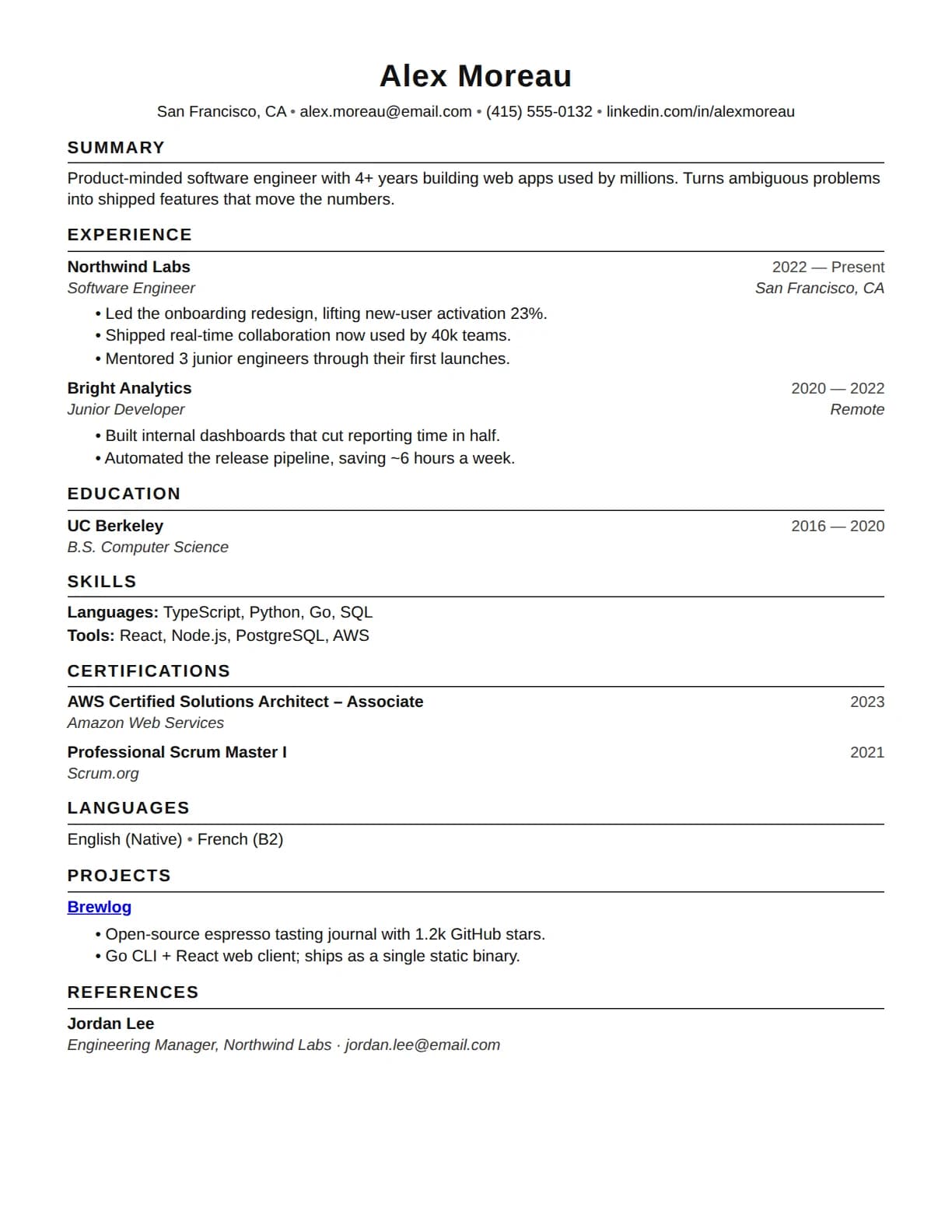
What the converted resume looks like
Every layout the converter offers follows the same four rules. This is the default one.
One column
Top to bottom, in the order the software reads. No sidebars, tables or text boxes.
Standard headings
Summary, Experience, Education, Skills. The names every parser looks for.
Contact details in the body
Email and phone sit under your name, not in a header, footer or image.
One date format
Every role and degree written the same way, so timelines parse.
The problems it fixes
Multi-column layouts
Why it fails: Extraction runs one column at a time: text comes out interleaved, bullets attach to the wrong roles.
What the converter does: Lays your content out in one column.
Tables and text boxes
Why it fails: Cells are read in an order you don't control; skills grids and date columns scramble.
What the converter does: Turns them into plain text and bullets.
Creative section headings
Why it fails: Parsers navigate by Experience, Education, Skills: renamed sections go missing.
What the converter does: Uses the standard names parsers expect.
Contact details in headers or images
Why it fails: Many parsers skip header and footer regions; anything inside an image doesn't exist.
What the converter does: Moves your email and phone into the body.
Inconsistent dates
Why it fails: Mixing 2023-01 with March 2024 breaks the timeline or drops whole roles.
What the converter does: Writes every date the same way.
Image-only text
Why it fails: Skill bars, logos and scanned pages are images: to the software they don't exist.
What the converter does: Keeps everything as real text.
Frequently asked questions
After converting
A resume in ATS format is the base. Two places to go from here.
Score it against a real job
The free ATS checker crosses your resume with a posting: keyword coverage, missing terms and the rubric behind the number.
Open the ATS checkerStart from scratch instead
The free builder starts you in the same single-column format, section by section, with a live preview.
Open the builderWant to understand the format before converting? Read the free ATS resume template guide.