Build a resume that gets interviews
Create a recruiter-ready resume right in your browser. Add your experience, choose a template, and watch it come together live. No account needed until you download.
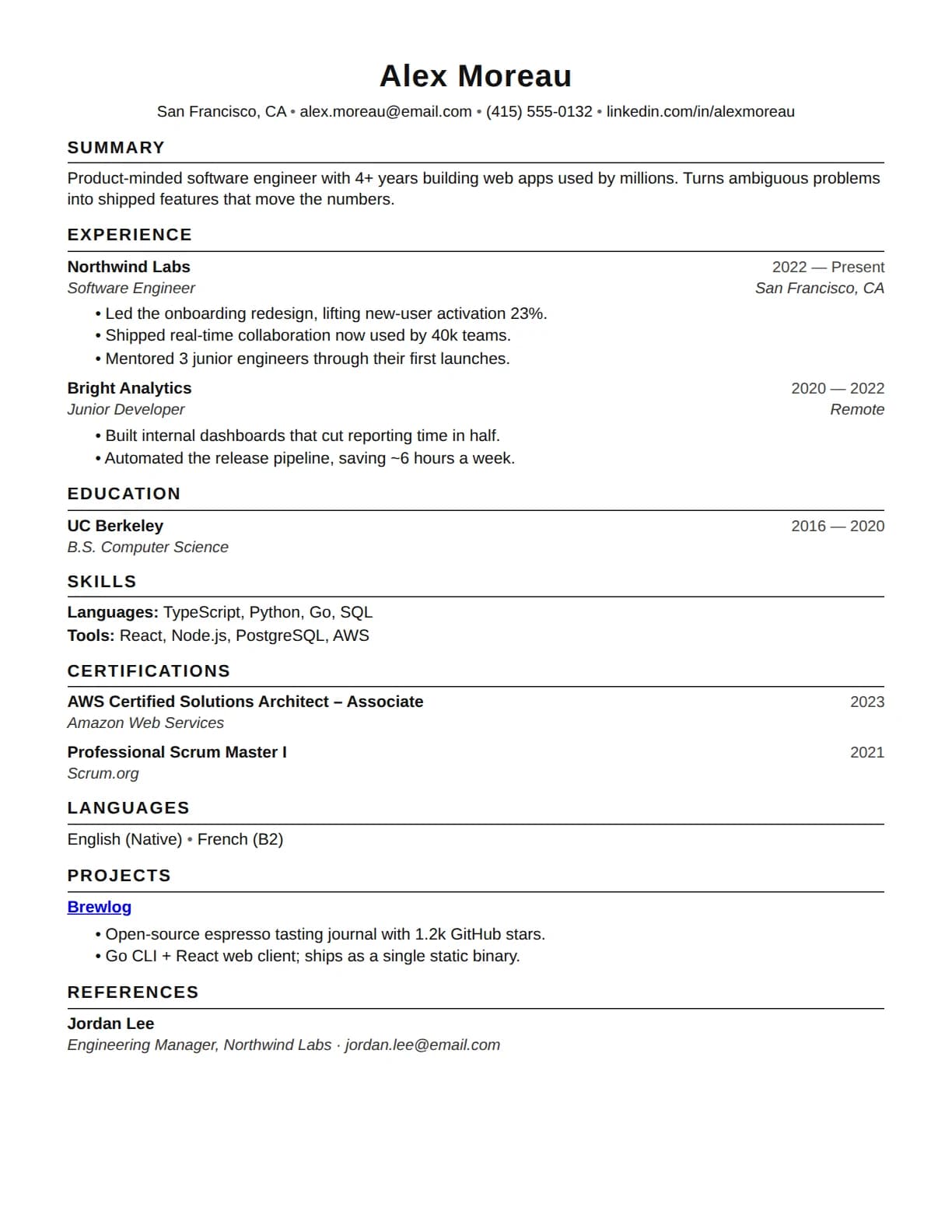
- Add your detailsType your experience, skills, and education into clean fields. Everything saves as you go.
- Pick a templateSwitch between ATS-friendly designs and preview your resume live, side by side.
- Download your PDFCreate a free account to download a polished, print-ready resume, then tailor it to any job.
What makes a resume ATS-friendly
Before a recruiter reads your resume, an applicant tracking system converts it to plain text and splits it into fields. A resume is ATS-friendly when nothing gets lost in that step: a single column read top to bottom, standard headings like Experience, Education, and Skills, real text instead of images or tables, one consistent date format, and contact details in the body of the document rather than the file's header.
Every template in this builder is built inside those constraints, so choosing between them is a question of look, not of parseability. The output is a text-based PDF, the file type recruiting software reads most reliably.
Builder, template, checker: which one you need
A builder is the tool on this page: structured fields in, a formatted, parseable PDF out. A template is the layout half alone, a file you fill in yourself; it keeps the formatting safe but cannot tell you what to write or compare your content against a posting. A checker is the reverse of a builder: it takes a finished resume plus a job description and scores how well the two match.
The three chain together. If you want the layout without the tool, copy the structure from the free ATS resume template. And once your resume is downloaded, score it against a real posting with the free ATS resume checker to see the exact keywords the vacancy asks for that your resume does not carry yet.
What's inside the builder
The builder walks you through eight sections in a guided order and shows the finished page beside the form as you type.
Eight standard sections
Header, summary, experience, education, skills, certifications, languages, and projects. Only the header's name is strictly required, and one substantive entry in experience, education, or skills makes the resume complete enough to publish. The rest are honestly optional.
Saved in your browser as you type
The draft lives on your device while you build, so you can close the tab and pick up later. Nothing is uploaded until you create the free account that downloads it, and the draft is added to that account automatically.
Templates you can switch any time
Every template is ATS-friendly, and switching re-renders the live preview instantly. Some templates belong to the Pro plan, and picking one is never a trap: a free account simply saves the resume with the default template until you upgrade.
A live preview of the real page
The preview is the actual template rendering, not a mockup, so what you check for length, spacing, and page breaks is what the PDF will carry.
Common questions about building a resume
Is the Dopplio resume builder free?
Yes. Building and previewing your resume is completely free, and you don't need an account to start. You only create a free account when you're ready to download your finished PDF.
Do I need an account to build a resume?
No. You can build and preview your whole resume without signing up. Your work is saved in your browser as you type, and it's added to your account automatically when you sign up to download.
Are the templates ATS-friendly?
Yes. Every template is designed to be parsed cleanly by applicant tracking systems, so your experience and keywords come through when employers scan your resume.
Can I edit my resume after downloading?
Absolutely. Your resume is saved to your Dopplio library, so you can come back any time to make changes, switch templates, and download an updated PDF.
How do I tailor my resume to a specific job?
Once your resume is saved, paste in a job description and Dopplio highlights the skills and keywords to add, so you can tailor a version for each application in minutes.
What file format does the resume download in?
A text-based PDF, the format recruiting software reads most reliably. The layout arrives intact wherever the file is opened, and nothing in it is an image, so every word stays readable to an ATS.
After you download
The download is the midpoint, not the finish line. Two places to go next.
Score it against a posting
Paste a job description into the free checker and see your match score, the missing keywords, and the formatting problems, with the whole rubric public.
Run the free ATS checkTailor it per application
The step-by-step guide to adjusting one strong base resume for each posting instead of rewriting it.
Read the guide